





TL;DR Summary: Instructions for loading CSV data into ElasticSearch using Logstash are provided, particularly for network traffic data. The process includes downloading a CSV file, configuring Logstash, and creating an index pattern in Kibana.
- Download and unzip the CSV file from Kaggle.
- Configure Logstash to read the CSV and output to ElasticSearch.
- Create an index pattern in Kibana for data analysis.
Here we show how to load CSV data into ElasticSearch using Logstash.
The file we use is network traffic. There are no heading fields, so we will add them.
Download and Unzip the Data
Download this file eecs498.zip from Kaggle. Then unzip it. The resulting file is conn250K.csv. It has 256,670 records.
Next, change permissions on the file, since the permissions are set to no permissions.
chmod 777 conn250K.csv
Now, create this logstash file csv.config, changing the path and server name to match your environment.
    input {
  file {
    path => "/home/ubuntu/Documents/esearch/conn250K.csv"
    start_position => "beginning"
  }
}

filter {
      csv {
        columns => [ "record_id", "duration", "src_bytes", "dest_bytes" ]
     }
    }

output {
  elasticsearch {
  hosts => ["parisx:9200"]
  index => "network"
  }

 }
Then start logstash giving that config file name.
sudo bin/logstash -f config/csv.conf
While the load is running, you can list some documents:
curl XGET http://parisx:9200/network/_search?pretty
results in:
    "_index" : "network",
        "_type" : "_doc",
        "_id" : "dmx9emwB7Q7sfK_2g0Zo",
        "_score" : 1.0,
        "_source" : {
          "record_id" : "72552",
          "duration" : "0",
          "src_bytes" : "297",
          "host" : "paris",
          "message" : "72552,0,297,9317",
          "@version" : "1",
          "@timestamp" : "2019-08-10T07:45:41.642Z",
          "dest_bytes" : "9317",
          "path" : "/home/ubuntu/Documents/esearch/conn250K.csv"
        }
You can run this query to follow when the data load is complete, which is when the document count is 256,670.
curl XGET http://parisx:9200/_cat/indices?v
Create Index Pattern in Kibana
Open Kibana.
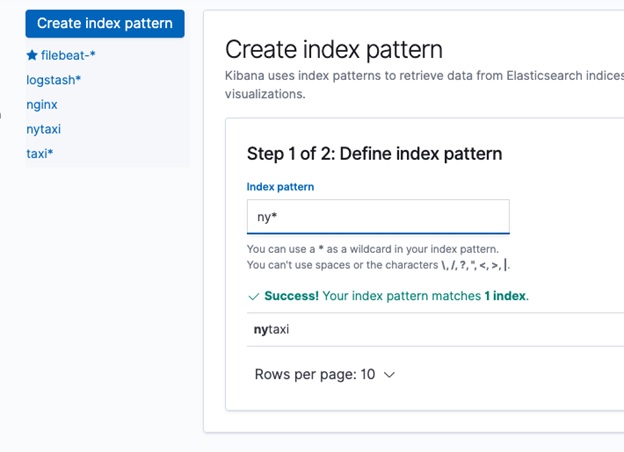
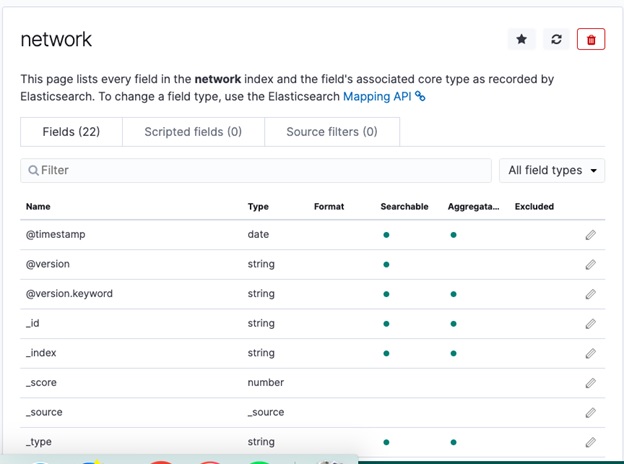
Create the Index Pattern. Don't use @timestamp as a key field as that only refers to the time we loaded the data into Logstash. Unfortunately, the data provided by Kaggle does not include any date, which is strange for network data. But we can use the record_id in later time series analysis.
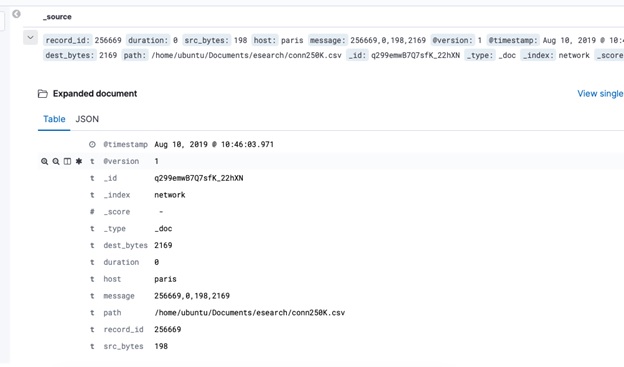
Now go to the Discover tab and list some documents:
In the next blog post we will show how to use Elasticsearch Machine Learning to do Anomaly Detection on this network traffic.
ElasticSearch Guide
- ElasticSearch Tutorial for Beginners: ElasticSearch Basics
- Using Apache Hive with ElasticSearch
- Using ElasticSearch with Apache Spark
- Curl ElasticSearch Commands Cheat Sheet
- Spark ElasticSearch Hadoop Update and Upsert Example and Explanation
- How To Write Apache Spark Data to ElasticSearch Using Python
- ElasticSearch Search Syntax and Boolean and Aggregation Searches
- ElasticSearch Nested Queries: How to Search for Embedded Documents
- ElasticSearch Joins: Has_Child, Has_parent query
- How to Setup up an Elastic Version 7 Cluster
- How to Configure Filebeat for nginx and ElasticSearch
- Using Beats and Logstash to Send Logs to ElasticSearch
- How to Load CSV File into ElasticSearch with Logstash
- ElasticSearch Aggregations Explained
- What is the ELK Stack?
- Logstash 101: Using Logstash in a Data Processing Pipeline
- Using Kibana to Execute Queries in ElasticSearch using Lucene and Kibana Query Language
- ElasticSearch Machine Learning
- How to Install Elastic Enterprise Search
- How To Use Elastic Enterprise Search with GitHub
These postings are my own and do not necessarily represent BMC's position, strategies, or opinion.